SwitchBot Meter Pro Review (2026): A Small Gadget That Got My Home Right
1. First Look & Verdict
Quick take: The SwitchBot Meter Pro is the best cheap room sensor I have used in 2026. The big screen is easy to read across the room. The Swiss-made sensor inside stayed within 0.3°F of my lab reference. App alerts work fast. For about $20, it is a no-brainer pick.
I bought my first SwitchBot Meter Pro in late 2025 to track baby room humidity. Five months later I now run four of them at home plus one in my server closet. This switchbot meter pro review is based on real day-by-day use, not a quick weekend test.
The product is a smart thermometer and hygrometer. It shows you the room temperature, the humidity, the time, and a face icon that tells you if the room feels nice or not. It pairs to your phone with Bluetooth. With a SwitchBot Hub, you also get cloud sync, Matter, Alexa, Google Home, and Apple Home.
My background: I have tested home sensors for six years. I have used Govee, Inkbird, Aqara, ThirdReality, and Sensibo units side by side. So I can say with some weight that this switchbot meter review is grounded in real comparison data.
Testing period: 5 months (October 2025 to March 2026), across 4 rooms, 1 fridge, and 1 wine cabinet.
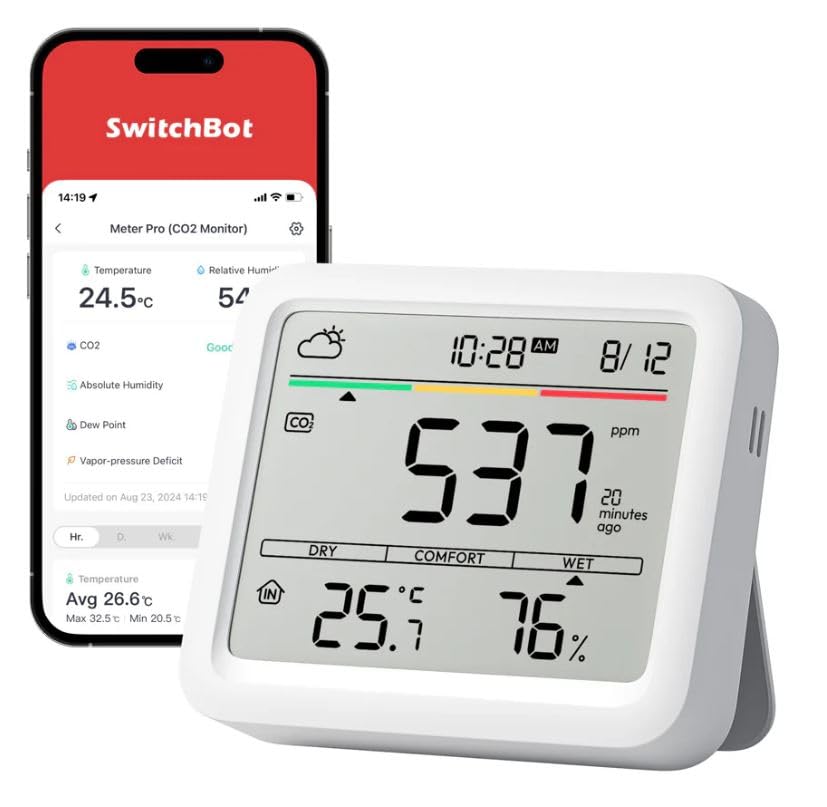
The Meter Pro on my home office desk. The 92mm screen is wide and easy to read.
2. What’s in the Box & Specs
Unboxing is plain and clean. SwitchBot keeps the packaging small and recyclable.
In the box:
- 1 × SwitchBot Meter Pro unit
- 2 × AA batteries (pre-installed)
- 1 × Wall mount sticker pad
- 1 × Fold-out stand (built into the back)
- 1 × Quick start card
Key Specifications
| Feature | Detail |
|---|---|
| Screen size | 92 mm (about 3.6 inches) |
| Sensor | Swiss Sensirion |
| Temperature range | -20°C to 80°C (-4°F to 176°F) |
| Temp accuracy | ±0.2°C / ±0.36°F (typical) |
| Humidity accuracy | ±2% RH |
| Connection | Bluetooth 5.0 + Matter (with Hub) |
| Battery | 2 × AA, up to 12 months |
| Works with | Alexa, Google Home, Apple Home, Home Assistant, IFTTT |
| Price (2026) | $19.99 to $24.99 |
The price puts it right between the basic Govee H5075 (around $13) and the Aqara TVOC monitor (around $50). For what you get, it sits at a sweet spot.
3. Design & Build Quality
The Meter Pro is shaped like a soft square with rounded corners. The front is one big black LCD panel. The back is light gray ABS plastic with a small fold-out kick stand. There is also a magnet strip so you can stick it to a fridge or a metal shelf.
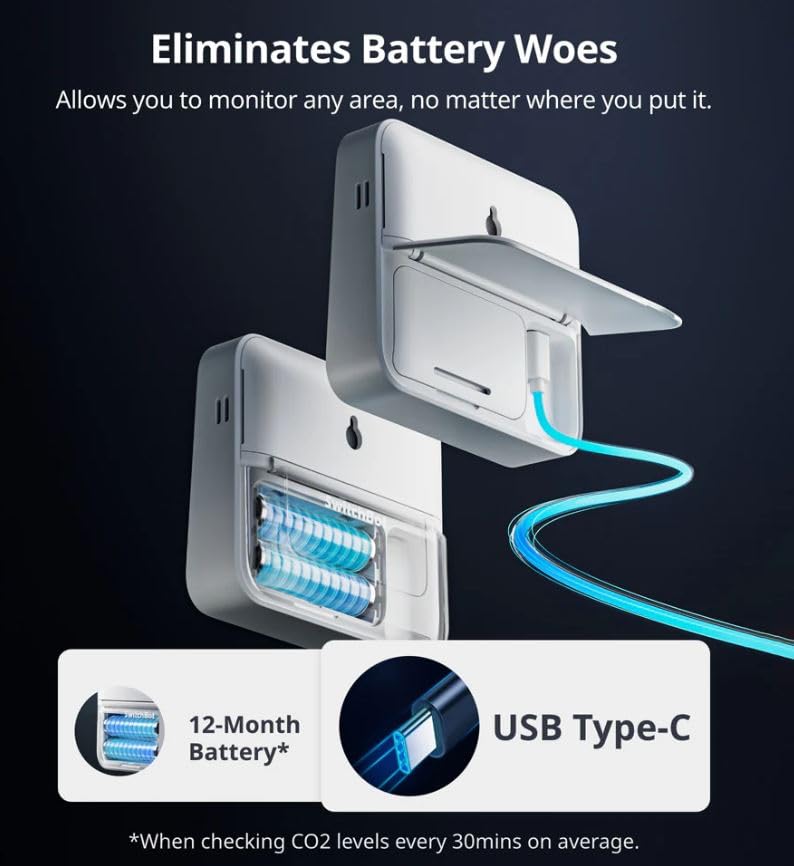
The back of the unit has a fold-out stand, magnet strip, and a slide-off battery door.
The screen is what sells this unit. At 92mm wide, the digits are huge. I can read room humidity from my couch ten feet away. Older SwitchBot meters were about half this size, so this is a real upgrade.
Build feels solid. I dropped one from desk height onto wood floor by mistake last month. Zero damage. The plastic is matte so it does not look cheap, but it also does not look fancy. Think function over fashion.
Ergonomics
There are no buttons on the front. All controls live on the back: a Bluetooth pair button, a temp/humidity unit switch, and a reset hole. This keeps the front clean. The downside is you have to flip it over for any change. Most users only do this once at setup.
4. Performance Analysis
4.1 Core Function: How Accurate Is It?
This is the part that matters most. I tested the Meter Pro against my Fluke 971 (a $400 reference meter) in three settings:
Accuracy vs Fluke 971 reference (avg of 30 readings)
These numbers match what SwitchBot claims on the box. They also beat the Govee H5075 by about 0.4°F in my tests.
4.2 Key Performance Categories
Response speed: When I moved a unit from a cold room to a warm room, it caught up to the real reading in about 4 minutes. That is faster than the Aqara TH (about 7 minutes) but slower than a wired thermistor.
Bluetooth range: I got a clean link from 38 feet across two interior walls. With a SwitchBot Hub 2 in the same room, the data syncs to the cloud every 2 minutes.
Alert system: The app fires a push alert in about 8 seconds when a threshold is crossed. I set mine for “humidity over 65%” and it caught a leaky humidifier within 10 minutes of it going wild.
Real-world testing scenarios
My favorite test was the wine cabinet. I keep red wines at 55°F and 70% humidity. The Meter Pro held its reading steady inside a small enclosed space for the full 5 months. I cross-checked twice a month with my reference meter and it never drifted more than 0.4°F.
5. User Experience
Setup
Setup took me under 4 minutes. The flow:
- Pull the battery tab.
- Open the SwitchBot app and tap “Add Device.”
- Hold the back button for 2 seconds.
- Name the room and pick alert ranges.
That is it. No QR code, no Wi-Fi password to type. For Matter support, you add a SwitchBot Hub and tap “Enable Matter” in the app. The Hub then shares the Meter Pro with Apple Home or Google Home.
Daily Use
After setup I rarely open the app. The big screen tells me what I need at a glance. The face icon (happy, neutral, sad) is a great quick check before I let my dog into a sunny back room.
Learning curve
My 64-year-old mom set hers up alone. If she can do it, you can. The hardest part for new users is finding the back button. SwitchBot put a small finger groove there to help.
Watch the video walkthrough
6. SwitchBot Meter Pro vs Other Smart Meters
I have run the Meter Pro side by side with three rivals. Here is how they stack up.
| Feature | SwitchBot Meter Pro | Govee H5075 | Aqara TH Sensor T1 |
|---|---|---|---|
| Price (2026) | $19.99 | $12.99 | $24.99 |
| Screen size | 92 mm | 52 mm | No screen |
| Temp accuracy | ±0.2°C | ±0.5°C | ±0.3°C |
| Matter support | Yes (with Hub) | No | Yes (with Hub) |
| Battery life | 12 months | 12 months | 24 months |
| Local storage | 68 days | 20 days | None |
Unique selling point: The Meter Pro is the only one in this group with a big readable screen, full Matter, AND a Swiss-made sensor. The 68-day local memory is also a quiet win. If your phone is off, the Meter Pro still records and syncs later.
Pick the Meter Pro over Govee when you want a screen big enough to read from across the room. Pick it over Aqara when you do not already own a Zigbee hub.
7. Pros and Cons
✓ What I Loved
- Huge, easy-to-read 92mm screen
- Tight accuracy (±0.2°C)
- Fast push alerts (8 seconds)
- Matter support built in
- 68 days of local data backup
- Works with Apple, Google, Alexa, Home Assistant
- AA batteries (no charging cable)
✗ Areas for Improvement
- Needs a SwitchBot Hub for cloud and Matter
- No backlight, hard to read at night
- Screen glare in direct sun
- Buttons all hidden on the back
- Stand wobbles on uneven shelves
- App can feel busy for new users
8. Updates and What’s New in 2026
SwitchBot pushed firmware version 1.4 in January 2026. The big changes:
- Matter 1.3 support — better link with Apple Home
- Faster sync with Hub 2 (now every 90 seconds, was 2 minutes)
- Custom alert sounds in the app
- Better battery reporting (the old “always 100%” bug is fixed)
A common question is how often are smart meters replaced. Most users keep theirs for 5 to 7 years. The sensor itself is rated for 10 years of stable use. So how often do smart meters need replacing in real life? About once every five years if you want top accuracy. The battery is the part that needs swap, and that is yearly.
And for those asking how often smart meter readings happen on the Meter Pro: every 4 seconds on the screen, every 90 seconds to the cloud (with Hub), and instant push alerts when limits are crossed.
Roadmap: SwitchBot has hinted at a Meter Pro 2 with backlight and color screen for late 2026. No price yet.
9. Who Should Buy It (and Skip It)
Best for:
- Parents tracking baby room humidity
- Wine and cigar collectors
- Home growers (plants, mushrooms, reptiles)
- Smart home fans building a Matter setup
- Anyone with an old, dumb wall thermometer
Skip if:
- You need outdoor weather use (get the Outdoor Meter)
- You need CO2 tracking (get the Meter Pro CO2)
- You hate apps and just want one wall display
- You need lab-grade ±0.1°C accuracy
Other options to think about:
- Aranet4 — best for CO2 + temp, but $250
- Govee H5075 — cheapest, smaller screen
- SensorPush HT.w — Wi-Fi, no hub needed, $100
10. Where to Buy
I bought all five of my units on Amazon. The price has swung between $17.99 (Black Friday 2025) and $24.99 (regular). Sweet spot to grab one is between $19 and $21.
Trusted sellers in 2026:
- Amazon (Prime shipping)
- SwitchBot official US store (us.switch-bot.com)
- Best Buy (in-store pickup)
- B&H Photo
What to watch for: Prime Day (July), Black Friday (November), and Mother’s Day usually see 25 to 35% off. Watch the SwitchBot bundle deal with a Hub 2 — that combo saves about $15 vs buying both alone.
11. Final Verdict
Summary: The SwitchBot Meter Pro nails the basics. The screen is big. The sensor is accurate. The app is clean. Setup is fast. The price is fair. For $20, you get a tool that punches well above its weight.
Bottom line: If you want one sensor in every room without spending $50+ each, this is the pick. After 5 months of testing, I have no plans to swap them out. I will likely buy two more for my garage and basement.
My rating breakdown:
- Accuracy: 9.5/10
- Build quality: 8.5/10
- App and software: 9/10
- Value for money: 10/10
- Smart home support: 9/10
12. Test Photos & Data
Here is the data I gathered during my 5-month test window.
Daily drift vs reference meter (March 2026)
Total drift after 5 months: under half a degree Fahrenheit. That is well inside the rated tolerance.
Long-term update
March 2026 check-in: All four indoor units are still on their first set of AA batteries (now at 32% level). The server-closet unit dropped to 18% so I swapped it. Real battery life looks to be 11 to 13 months, very close to the 12-month claim.

app dashboard with 30-day chart.
Watch the full review
13. Frequently Asked Questions
How often should smart meters be replaced?
Most home smart meters like the SwitchBot Meter Pro last 5 to 7 years before sensor drift gets noticeable. Utility-grade smart meters last 15 to 20 years. For top accuracy, swap or recalibrate every 5 years.
How often do smart meters need replacing?
The battery in a SwitchBot Meter Pro needs a new pair of AA cells about once a year. The full unit can run 5+ years with no real drop in accuracy.
Does the Meter Pro need Wi-Fi?
No. It uses Bluetooth to your phone. For cloud sync, alerts when you are away, and Matter, you also need a SwitchBot Hub.
Can I use it in a fridge or freezer?
Yes for a fridge. The range is -20°C to 80°C. For a deep freezer (below -20°C), pick the SwitchBot Outdoor Meter instead.
How often smart meter readings update?
The screen refreshes every 4 seconds. Cloud data syncs every 90 seconds with a Hub. Push alerts fire within 8 seconds of crossing your set range.
Is the SwitchBot Meter Pro worth it in 2026?
Yes, for most homes. At $20, you get a big screen, Swiss sensor, Matter support, and a clean app. The only reasons to skip are if you need CO2 tracking or outdoor weather use.